Start with the space the photo must fill
Orientation is not just a camera setting. It affects what a viewer notices, where a designer can place words, and how much of the subject survives a crop. Before a shoot, list the places the image needs to appear: a website banner, a social post, a printed flyer, or a product page. Note whether each placement is tall, wide, or roughly square, and whether it needs a headline or logo over the image.
If one photograph must serve several placements, identify the most important one first. A crop made later can remove background, but it cannot restore a hand, a product edge, or a person’s head that was never photographed. The safest plan is often to make a primary composition for the main placement, then take alternate frames for the others.
Shoot vertically when height carries the story
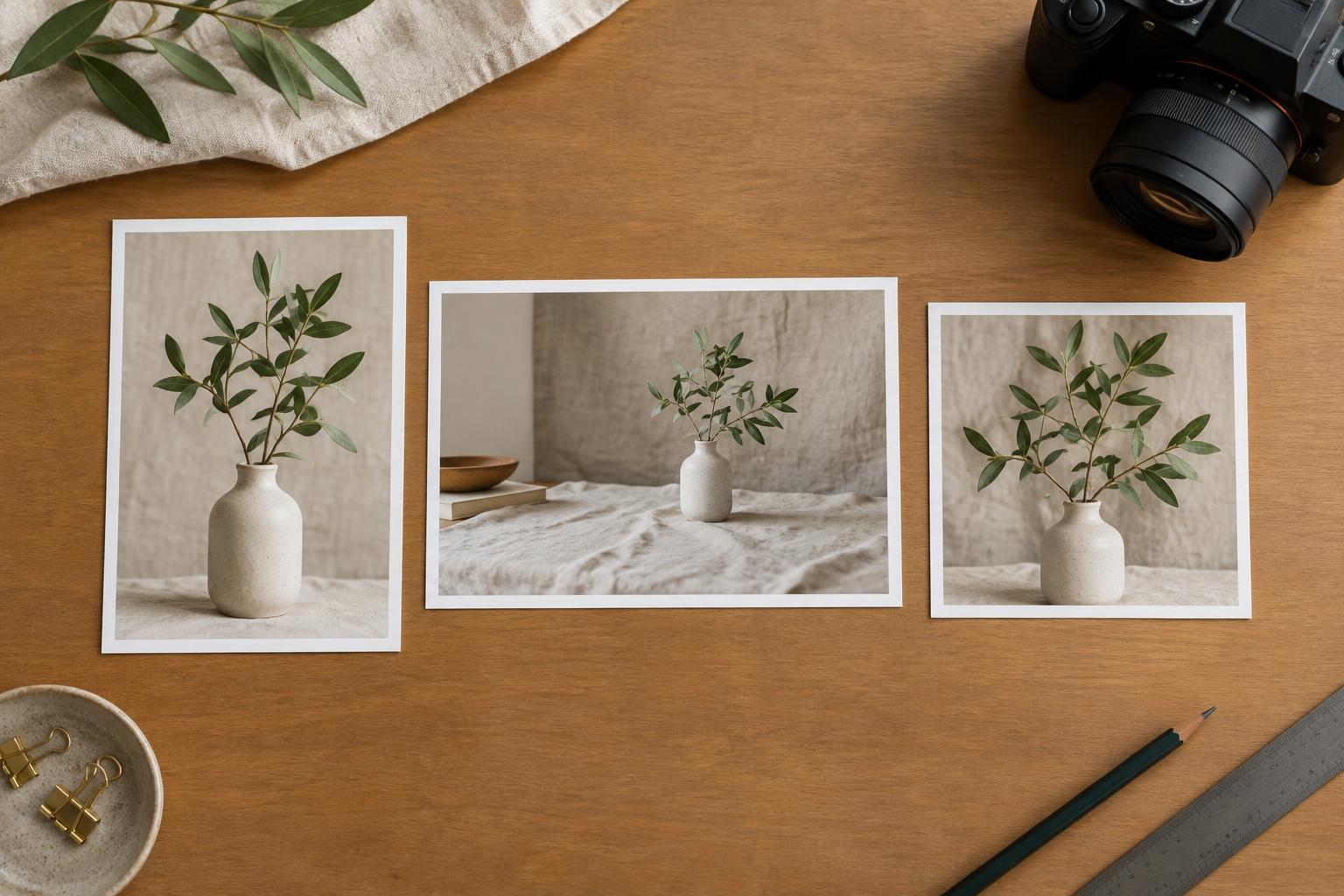
A vertical frame suits tall subjects and placements, such as a standing person, a bottle, a doorway, a poster, or a phone-first ad. It can make a full-length portrait feel deliberate without filling the sides with unnecessary detail. For a product, it may also show the object, its setting, and a small amount of breathing room above or below.
Watch the top and bottom edges closely. Leave enough space around faces, hands, and products to allow for trimming or on-screen interface elements. If the final design needs a headline, decide where it will sit before you shoot. A clean wall above a subject can be useful, but only if its color and texture allow the words to remain legible.
Do not assume that a vertical crop of a horizontal group photo will work. It may isolate one person and change the message. When the placement is important, take a dedicated vertical frame and arrange the people or objects for that shape.
Shoot horizontally when context matters
A horizontal frame gives people and objects room to relate to their surroundings. It is useful for a team at work, a product in use, an interior, or a scene that needs to establish a setting. Wide website banners and some presentation layouts also favor this orientation, especially when text will sit beside the main subject.
Wide does not mean empty. Choose a clear focal point, then use the remaining space with purpose. If copy will appear on the left, place the subject toward the right and check that the left side is calm enough for type. Shoot a second version with the arrangement reversed if the layout is not settled. This small change can save a designer from flipping an image that contains lettering, distinctive product details, or an unnatural-looking gesture.
Be cautious with extremely wide crops. A standard horizontal photograph may lose much of its height in a shallow banner. Frame a little wider than feels necessary, review the likely crop during the shoot, and keep important details away from the top and bottom edges.
Use square for balance, not as a universal compromise
A square frame can work well for a single product, a close portrait, or a simple arrangement of several objects. Its even proportions encourage a compact composition that can fit neatly into a grid or card. It is also a useful way to keep a subject prominent when neither the setting nor the subject’s height is central to the message.
Square is less forgiving when the story depends on direction or scale. A person looking across a room may need more space in front of their gaze; a long table may need width to make sense. Rather than forcing every image into a square, test whether the crop preserves the point of the photograph. Leave room around the subject if the image might later need a small change in crop or a label.
Build a short shot list for flexible delivery
For each setup, write down the subject, primary placement, required orientation, and any space needed for copy. A brief might say: “Product on a workbench; vertical for a poster with headline above; horizontal for a website banner with copy on the left; square detail for a product card.” That is more useful on set than a general request for photos suitable for every channel.
Keep the camera level and capture the key subject with comfortable margins before moving in for tighter versions. Check a few frames against rough placement shapes while everyone and everything are still available. Finally, name or group the delivered images by intended use. Orientation should make the photo easier to use, not leave the next person guessing how to fit it into the design.