Choose the fold around the reading sequence
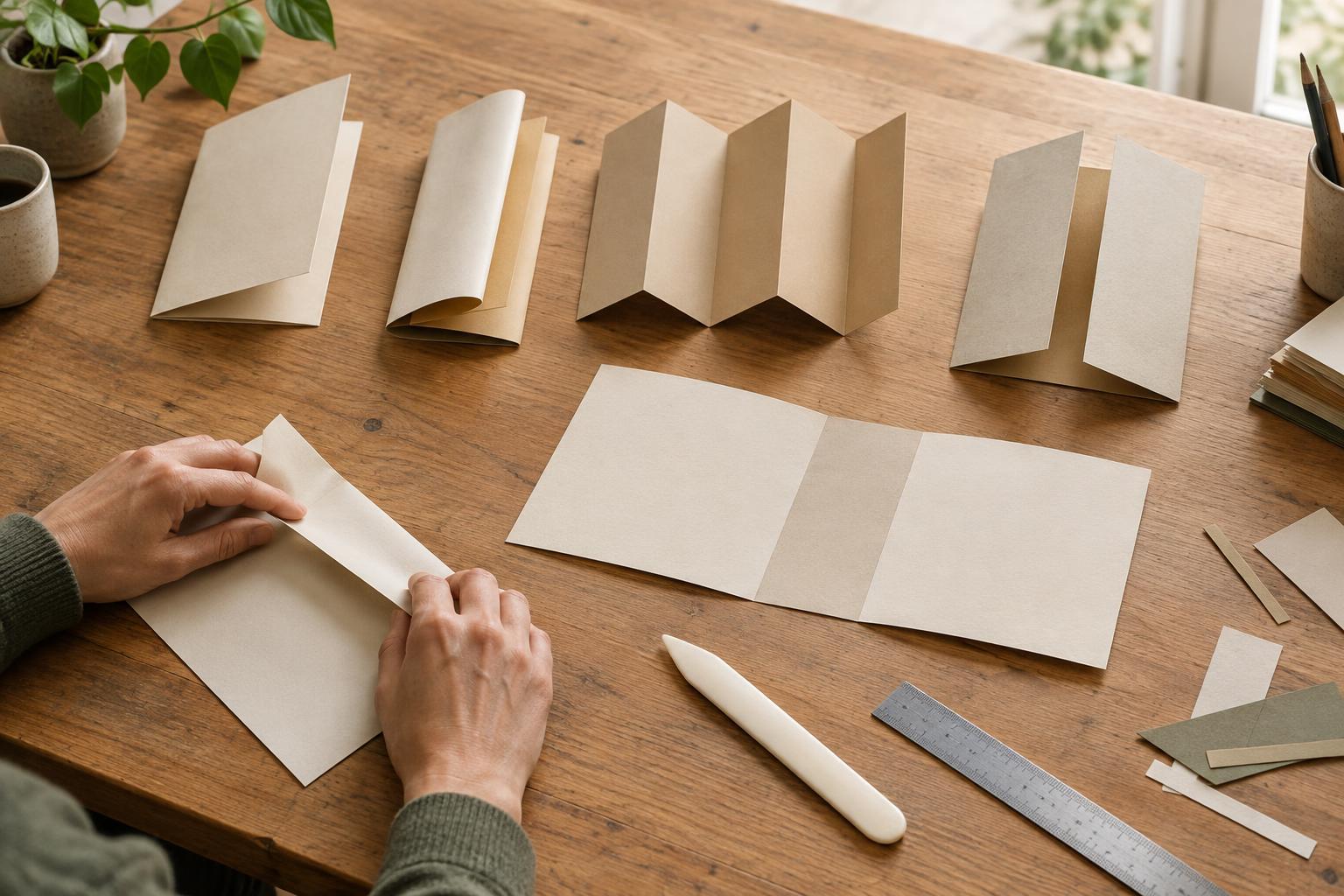
Start with what someone should see first, what they should discover next and what they should keep for reference. A half fold creates four broad pages and suits a short introduction followed by services, a menu or a simple product range. A roll fold, often called a letter fold, tucks one panel inside the others. It gives you a compact front cover and a staged reveal when the brochure opens.
An accordion fold opens in a zigzag. It works well for a sequence of steps, a timeline or content that should be visible across a long spread. A gate fold brings two outer panels together over a central area, making the opening moment useful for a large image or a single focal message. That reveal is less valuable if the reader needs to find a price or instruction immediately. Choose the fold for the job the brochure must do, not just its appearance.
Understand why some panels must be narrower
Panels in a roll fold cannot always be identical. The panel that folds inside needs room to sit within the outer layers; otherwise its free edge can bunch against a fold or keep the brochure from closing neatly. In a gate fold, the two doors may need a small clearance where they meet. Paper thickness, the number of layers and the printer’s folding equipment all affect the allowance.
As a planning illustration, a 297 mm-wide sheet for a three-panel roll fold might be divided into panels of 100 mm, 100 mm and 97 mm. Those figures add up to 297 mm, but the 3 mm difference is not a universal specification. Which side receives the narrow panel depends on the fold direction and which face of the sheet you are laying out. An accordion fold can often start with equal nominal panels because its panels do not nest in the same way, though the printer may still recommend an adjustment.
Ask the printer for the finished size, flat size, panel widths and fold positions before treating any example as a template. Confirm whether their measurements refer to the trimmed sheet and which panel folds in first. If you are using a supplied dieline or template, follow its measurements rather than dividing the sheet into thirds yourself.
Make a mockup before designing the flat artwork
Cut a piece of paper to the intended flat proportions. Mark the front, back and each inside panel, then fold it in the planned order. Number the panels as a reader encounters them. When you unfold the sheet, those notes become a map for the artwork: they show which panel is the cover, which sits inside and which content appears together.
A mockup also catches orientation mistakes that are hard to spot in a flat file. Put temporary headings where they belong, including on the reverse side, and check that nothing appears upside down. For a roll fold, try a short cover promise, a useful first reveal and more detailed information inside. For an accordion fold, check that the sequence still makes sense if someone opens the entire piece at once. Keep a little flexibility in the copy until the fold and panel sizes are confirmed.
Design for folds, trimming and paper
Set up guides at the printer’s specified fold positions, not at automatically generated equal-column marks. Keep essential words, logos and small details away from fold lines and trimmed edges; the printer can advise on suitable safe areas and bleed for the job. An image may cross a fold, but avoid placing a face, a small label or a critical product feature exactly on the crease. On an unequal roll fold, check that the narrower panel has enough room for its content after margins are allowed.
Paper choice affects how the brochure behaves. Heavier stocks can resist a tight fold or show cracking where ink crosses a crease. Grain direction and scoring can help, depending on the stock and finishing method. If a particular paper, full-bleed image or precise gate-fold closure is important to the design, discuss it with the printer before approving the artwork. A production proof or folded sample is more informative than an on-screen view of the flat layout.
Give the printer an unambiguous handoff
When requesting a quote or submitting files, describe the flat and finished sizes, fold type, fold direction, paper choice and intended reading order. Include a simple folded mockup or a numbered panel diagram if possible. For a roll fold, identify the panel that tucks inside; for a gate fold, show which edges meet. Ask the printer to confirm the panel measurements, bleed, safe areas and whether the stock needs scoring.
Before final approval, compare the proof against your mockup rather than checking spelling alone. Follow the reader’s path from cover to last panel, inspect content near every crease and verify that the narrow panel closes without crowding. A sound brochure layout begins with the fold: once its sequence and measurements are settled, the writing and imagery have a clear space in which to work.